
Event registration for any event.
Put up a potluck sign-up in two minutes. Run a three-day conference with tiered pricing, sessions, capacity limits and a waitlist. Describe your event and Lintel builds most of it for you.
- Free events are freenothing at all on a $0 sign-up
- $1 + 0.75%per paid registration, never over $5
- Describe it, or build itevery setting is yours to edit by hand
- Nothing to installone link, on your site or on its own
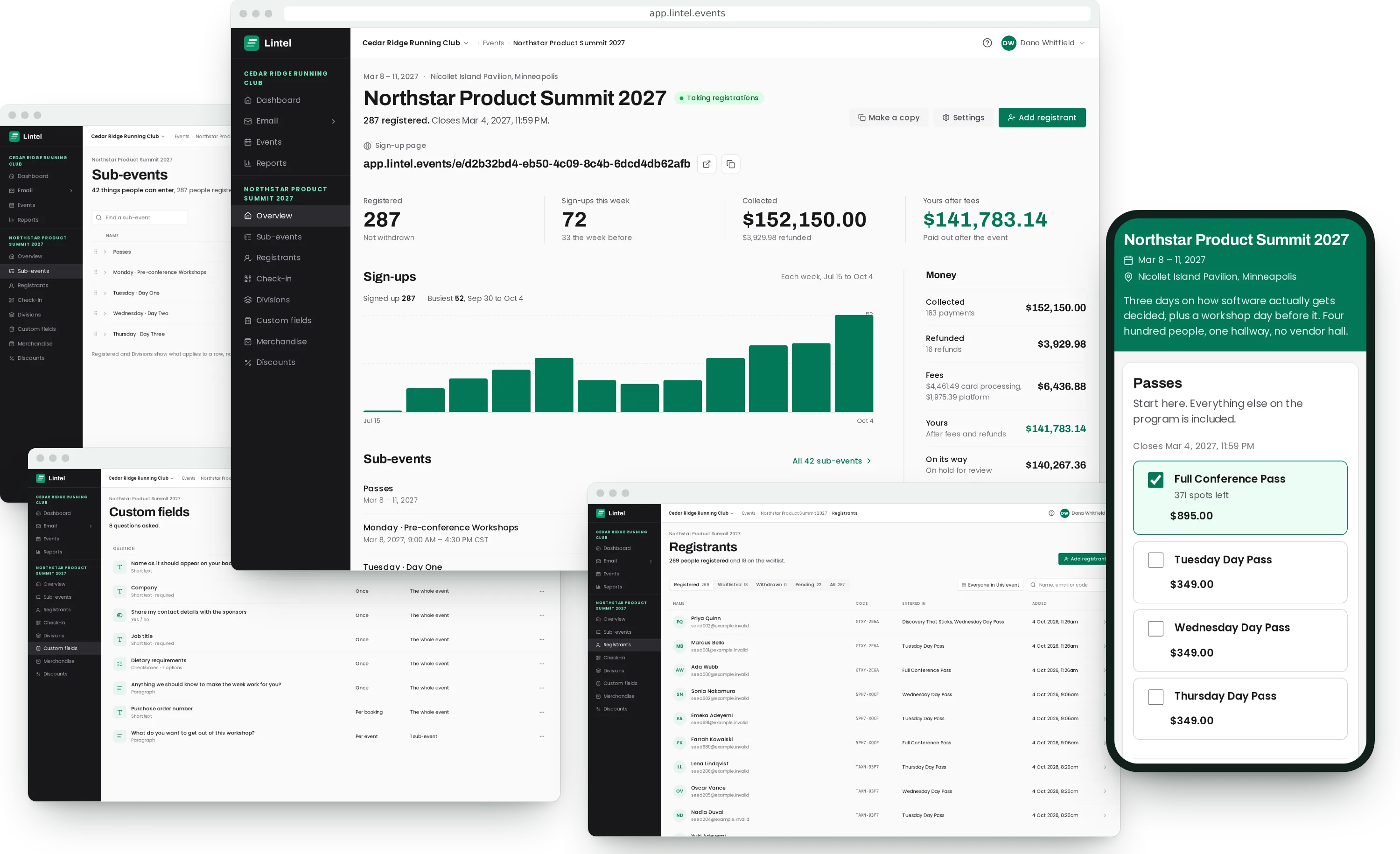
Inside Lintel
Where you run an event, and what the people signing up for it see. The organizer, the event and every name and number in it are a made-up demo.
Not a conference tool. Not a race tool.
Most tools pick a kind of event. Run a 5K in the spring and a gala in the fall, and you end up with two tools or a compromise in one of them. Lintel does both, and the potluck, and the eight weeks of pottery.
Describe your event. Most of the setup is done.
-
Describe it
Describe your event in plain English. The AI assistant asks questions and builds the event setup for you.
-
Make updates
If you need to make adjustments from there, it's easy. Don't like the AI assistant? Build it all by hand with easy-to-use, well-organized tools.
-
Turn on registration
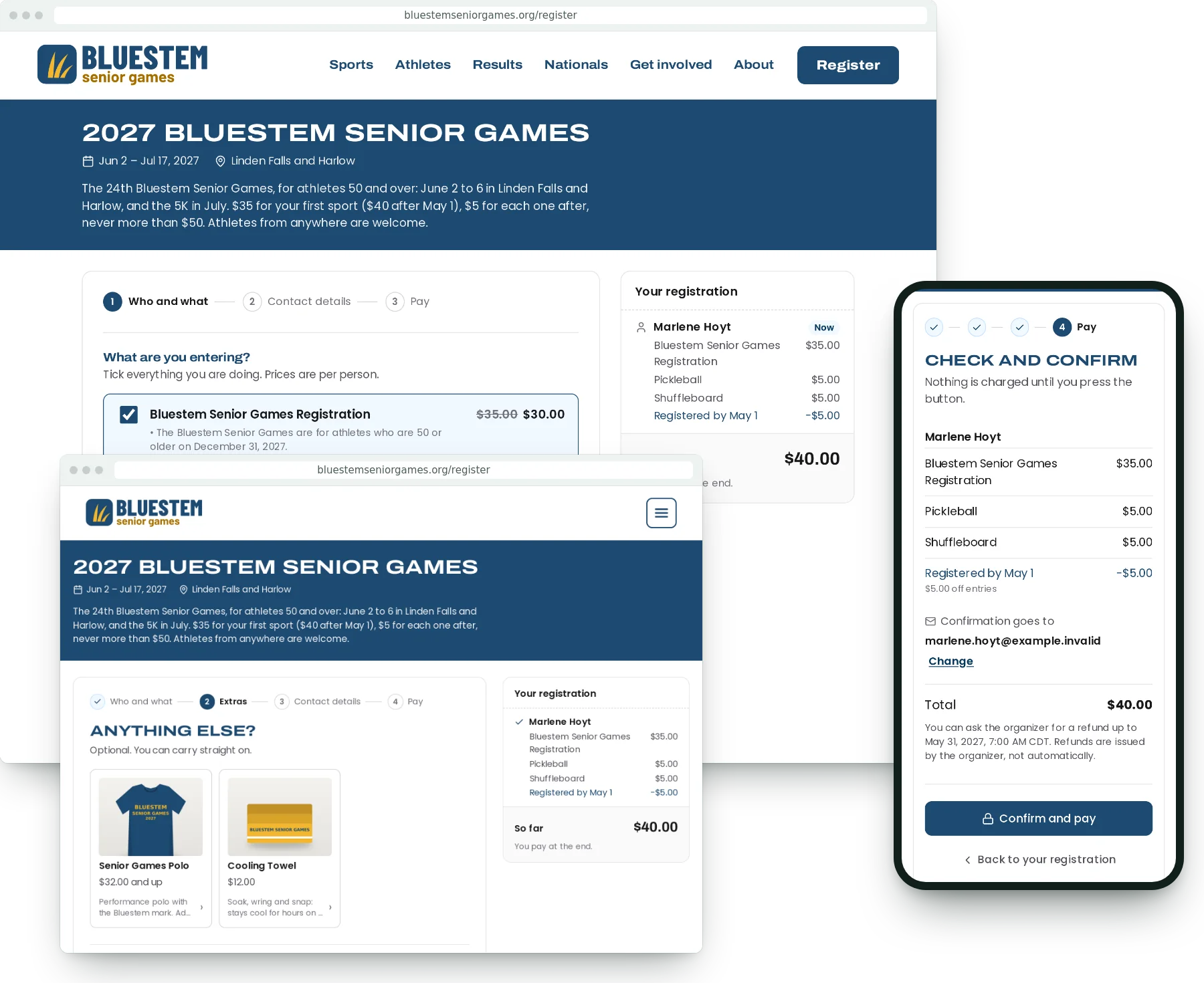
When it looks right, turn it on and share your link. People can sign up their whole family or team, pay once, and come back to their registration anytime.
New event
Describe it and we will set it up, asking about anything we cannot work out. You can change all of it afterwards.
YouHarvest Moon run, Saturday Sept 12. A 5K and a 10K, plus a free kids' mile. Adults get a shirt. $32 entry, $5 off before August.
Is there a cap on how many people can enter either race?
Pick one, or answer in your own words
That's enough, build it
Simple for the simplest event. Ready for the complicated one.
None of this gets in your way until you ask for it.
Any shape of event
Days, tracks, time slots, heats, sessions. Nest them as deep as your event really goes. Dates, prices and rules pass down the tree, so you set each one once, where it's true.
Conference › Day 2 › WorkshopsOnly the questions you need
Ask for a t-shirt size on the races that hand out t-shirts. Everybody else never sees the field.
Shirt size: 10K onlyDivisions and eligibility
Age and gender brackets sort people automatically. Add rules for who can enter at all: age limits, residency, prerequisites, agreements.
Masters 40-49, on race dayCapacity and waitlists
Set a limit and people can see what's left of it. Add a waitlist, and cap that too. A place is only taken when somebody is confirmed, not when they start typing.
12 places left, then a waitlistDiscounts that stack sensibly
An early bird, a member rate, a comp that beats both. A code comes off the price after the automatic discounts, like a coupon on a sale. Codes are checked as they're typed.
Early bird, then the member code on what's leftTeams and rosters
A squad enters as one thing and takes one place. Every rule you set is checked against every player on the roster, not just whoever filled the form in.
1 team, 9 players, 1 placeNo setup fee, and nothing on a free event.
$1 + 0.75%
per paid registration
- 5% cap
- so a $6 entry costs 30¢
- $5 ceiling
- so a $800 ticket costs $5
- At cost
- card processing, nothing added
Free events
$0
No card needed to set an event up.
Try your numbers
- Our fee
- Card processing, est.
- You receive
The usual questions
How do I get paid?
Registrants pay by card. Connect a Stripe account and your takings are transferred to it after the event, less the fees above. Your dashboard shows what's been collected, what's on its way, and what's held and why. The timing and the exceptions are on how money works.
Is there a subscription?
It's optional. $15 a month or $150 a year adds the AI tools and email campaigns; everything else is there without it. If the fees on your registrations reach $1,000 in a subscription year, we pay back what you paid for it that year, straight to your Stripe account, automatically. Subscription and billing has the details.
Do I have to use the AI setup?
No. It's a shortcut over a system you can drive by hand, before, after or instead of using it. Everything it can build, you can build and edit yourself, and it never saves anything without showing you first.
Can people sign up several at once?
Yes. One order covers a whole family or car-load, with each person's own events, questions and extras, and a single payment at the end.
What happens when an event fills up?
While there's room, the form shows what's left. Once it's full, a waitlist takes over if you set one up, and anybody joining it is told that's what they're doing. With no waitlist, the event closes before anybody reaches a card.
Open the doors on your next event.
Describe what you're running, or build it by hand. Either way you're taking entries today.